Applying to a smartlink
A smartlink is one link that rotates across several offers — and can auto-optimize for the best payout. Apply once and we generate your tracking link on approval.
Updated 2026-06-17
A smartlink is one tracking link that rotates across a pool of offers the network has bundled together. Instead of generating a link per campaign, you get a single link — and the network's edge picks which offer to send each click to, by geo, device, and weighting, or by automatically favouring whichever offer pays out best.
One link, no per-offer setup, every click still attributed to you.
You'll find smartlinks under Offers → Smartlinks in your portal.
Apply for a smartlink
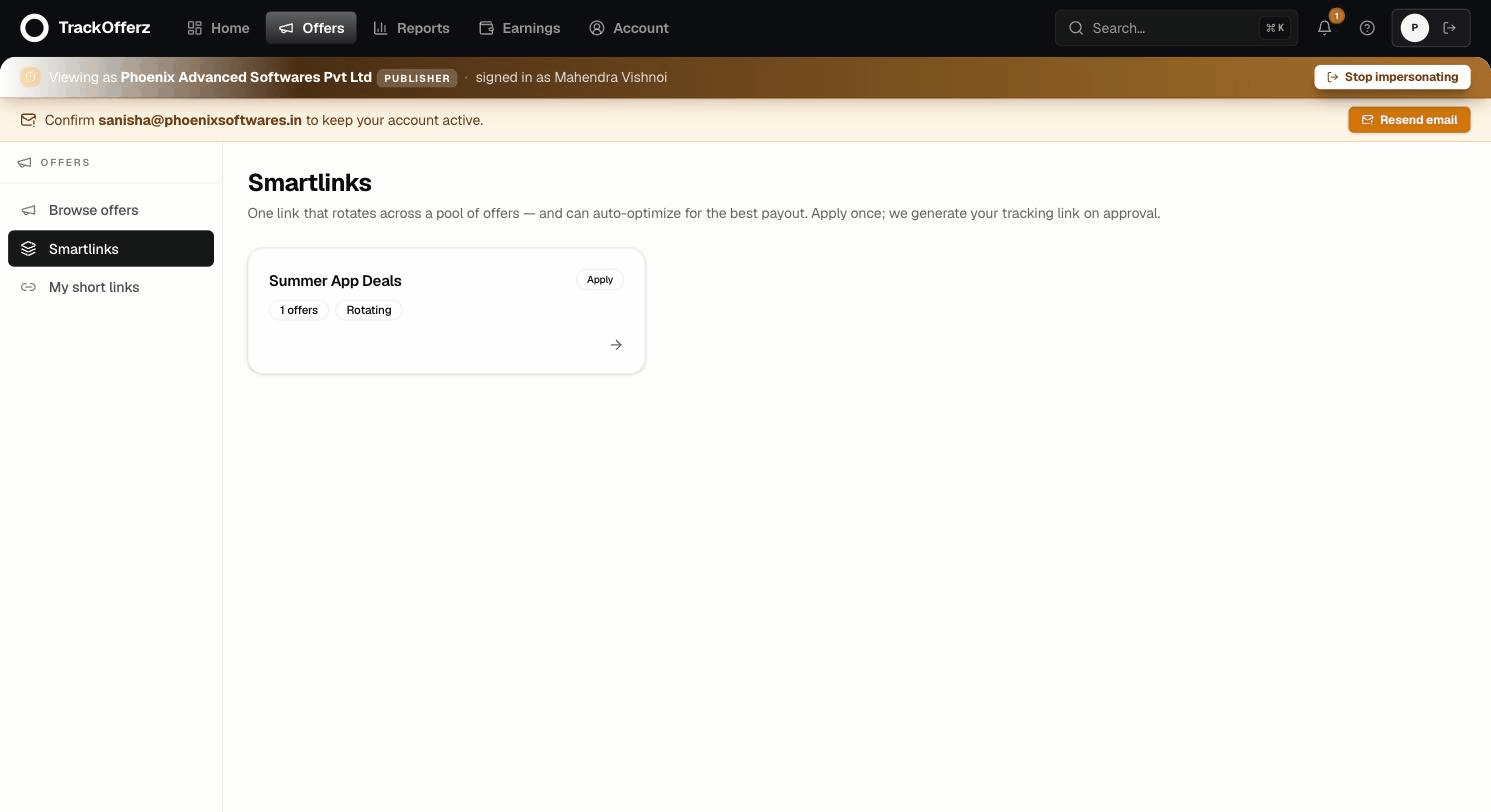
- Open Offers → Smartlinks. Each card shows the smartlink's name, how many offers are in the pool, and whether it rotates or auto-optimizes.
- Click a smartlink to see the offers inside it and how it rotates.
- Click Apply for this smartlink.
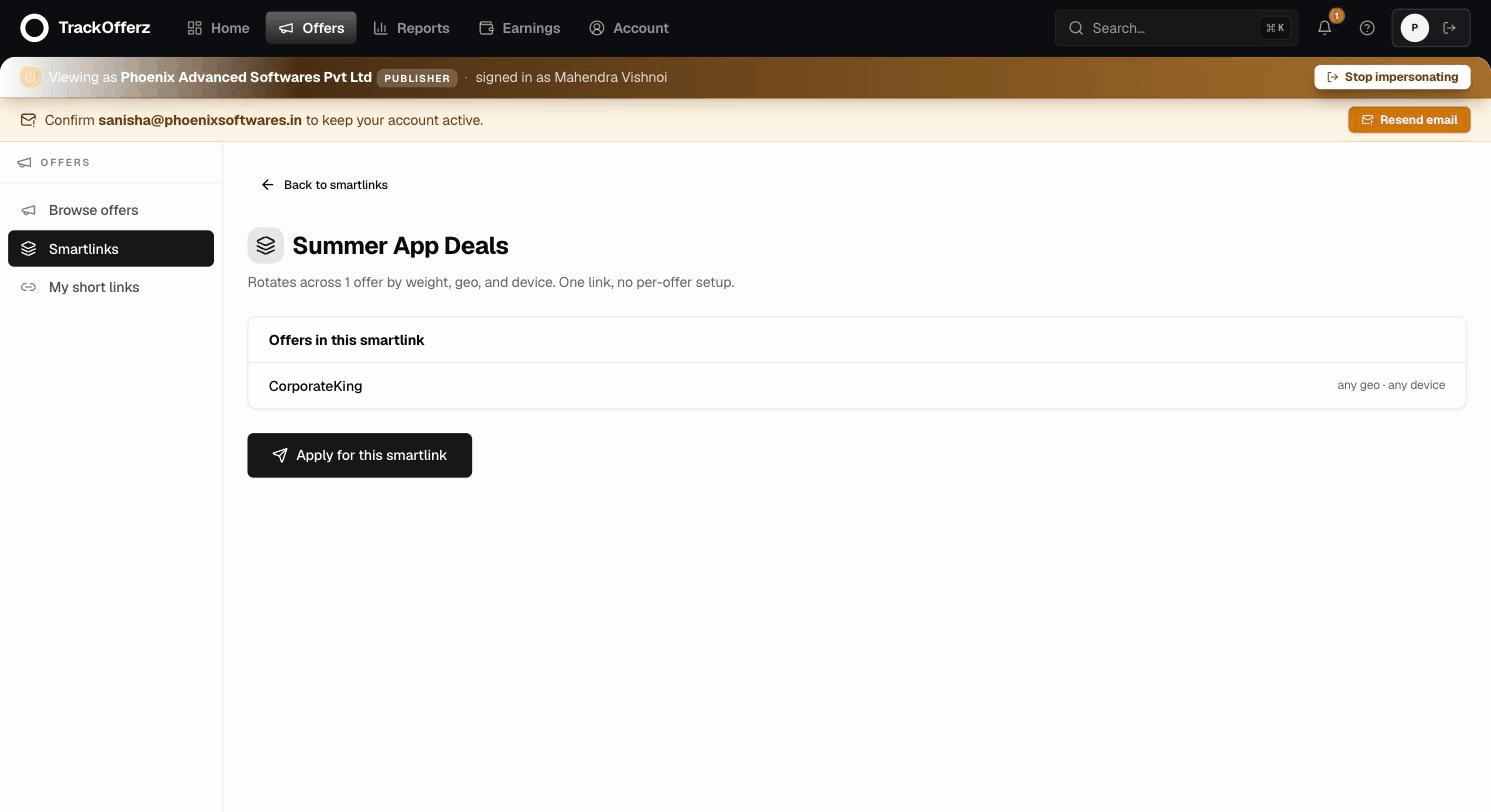
What happens next depends on how the network set it up:
- Open smartlinks approve instantly — your link appears right away.
- Ask-to-join smartlinks go to the network admin for review. You'll see "Your application is awaiting your network admin's review" and get a notification when they decide.
If your application is declined, you can re-apply from the same page later — for example after you've discussed traffic sources with the network.
Get and use your link
Once you're approved, the smartlink detail page shows Your tracking link — copy it with one click. It looks like:
https://track.yournetwork.com/s/nDFvGxU
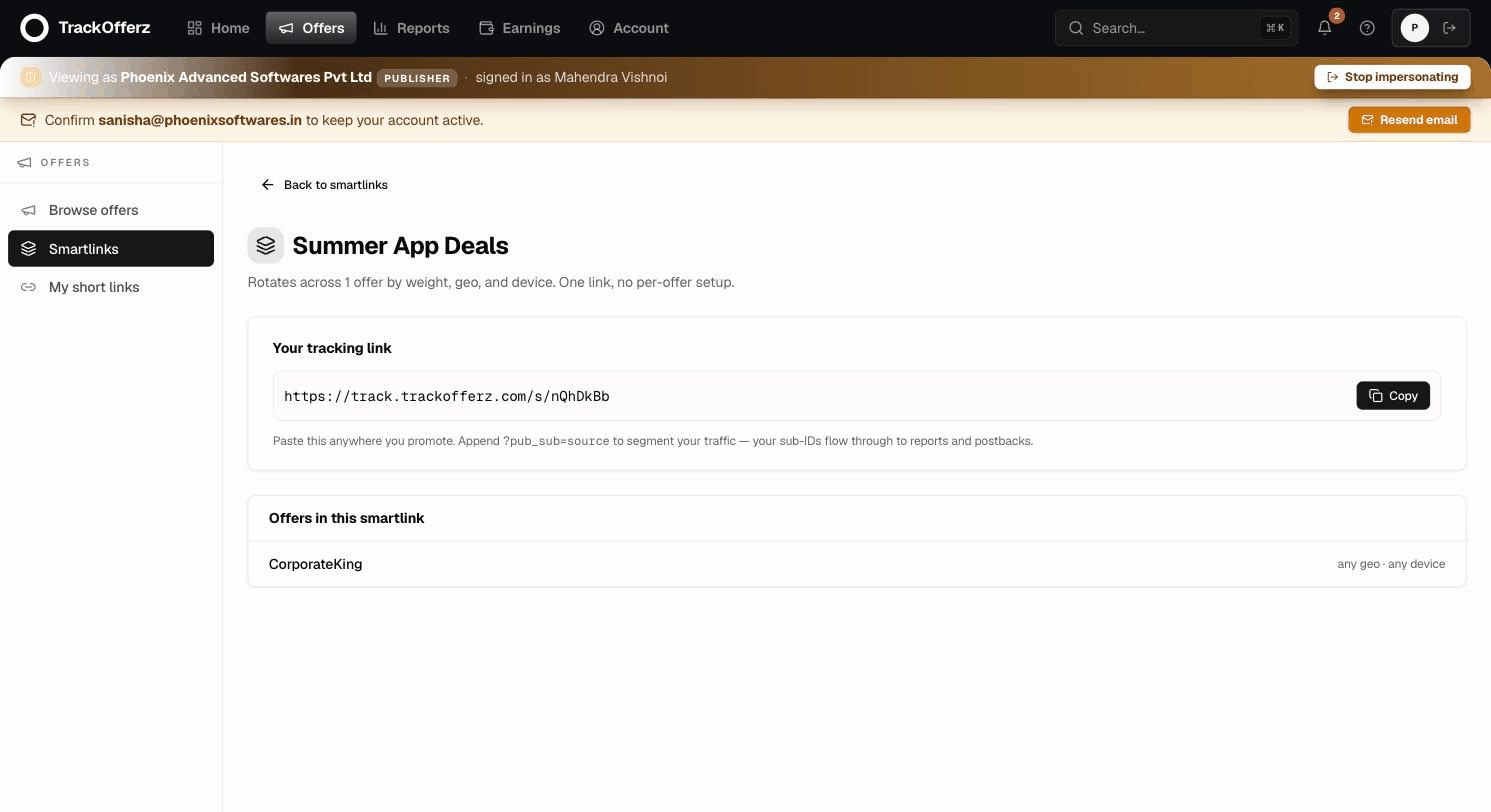
Paste that anywhere you promote. Every click is routed to the best-matching offer in the pool in under 50ms and recorded against your publisher ID — you don't choose the offer, the smartlink does.
Segment your traffic with sub-IDs
Append ?pub_sub=source to label where a click came from:
https://track.yournetwork.com/s/nDFvGxU?pub_sub=newsletter-jan
Your sub-IDs flow all the way through to your reports and postbacks, so you can compare placements, creatives, or campaigns on your own side.
Test before you scale. Click your own smartlink, confirm it lands on a real offer page, then check that the click shows up in Reports. Once it does, the link is ready for live traffic.
Good to know
- One link, many offers. The pool can change — the network may add, remove, or re-weight offers — but your link and its code never change. Nothing to re-paste.
- Eligibility is per click. If an offer in the pool excludes your visitor's country or device, the smartlink simply rotates to another eligible offer (or the network's fallback page). You don't need to manage that.
- Attribution is automatic. No UTM hygiene required — your publisher ID is baked into the link.
Next, set up a server-to-server postback so your own systems hear about conversions in real time, and learn to read your reports.